Table of Contents
- Key Takeaways
- Quick Verdict: Who Should (and Shouldn’t) Buy the HP 15 Ryzen 7
- Product Overview & Specifications
- Real-World Performance & Feature Analysis
- Design & Build Quality: Function Over Flair
- Performance in Real Use: Where the Ryzen 7 Shines
- Display & Audio: The Biggest Compromise
- Keyboard, Trackpad, and Ease of Use
- Battery Life & Thermals: Realistic Expectations
- Pros & Cons
- Comparison & Alternatives
- Cheaper Alternative: Acer Aspire 5 with Ryzen 5
- Premium Alternative: Dell XPS 13 Plus
- Buying Guide / Who Should Buy This Laptop
- Best for Beginners
- Best for Professionals & Students
- Not Recommended For
- Frequently Asked Questions (FAQ)
You’re looking at the HP 15 with an AMD Ryzen 7 processor, 16GB of RAM, and a 1TB SSD. On paper, it’s a compelling package for under $800. But specs only tell half the story. After weeks of using this as my primary work machine, I can tell you where this laptop genuinely excels and where HP had to make compromises to hit this price point. This isn’t about regurgitating the feature list; it’s about whether this machine will actually work for your daily grind.
Key Takeaways
- The AMD Ryzen 7 7730U is the star of the show, delivering exceptional performance for everyday productivity, multitasking, and even light content creation, easily outpacing comparable Intel Core i5 models in this price range.
- 16GB RAM and a 1TB SSD are the ‘sweet spot’ for 2026, future-proofing the device for most users and eliminating the need for immediate upgrades.
- Battery life is solid but not class-leading, reliably hitting 7-9 hours in real-world mixed use, not the idealized 10.75 hours HP advertises.
- The build quality and display are functional but basic. The chassis is mostly plastic, and the 15.6-inch FHD screen is adequate for work but lacks the brightness and color vibrancy for serious media consumption or color-critical work.
- This is a value champion for specific users, but power users, gamers, and those needing a premium feel should look elsewhere.
Quick Verdict: Who Should (and Shouldn’t) Buy the HP 15 Ryzen 7
Best for: Students, hybrid professionals, small business owners, and anyone who needs reliable performance for office suites, web browsing, video calls, and light creative tasks without breaking the bank.
Not ideal for: Hardcore gamers, video editors, software developers running multiple virtual machines, or users who prioritize a premium, all-metal chassis and a high-resolution display.
Core Strengths: Excellent CPU performance for the price, generous RAM and storage configuration, respectable battery life, clean and professional Windows 11 experience out of the box.
Core Weaknesses: Average build quality with noticeable flex in the keyboard deck, mediocre display brightness and color gamut, integrated graphics limit gaming potential.
Product Overview & Specifications
The HP 15 fc0527nr sits in a crowded segment of the market, often dubbed ‘mainstream’ or ‘value’ laptops. Its primary selling point is the balanced specification that targets common pain points. Many budget laptops skimp on RAM (offering 8GB) or storage (256GB SSDs are still common), forcing immediate upgrades. HP avoids this by providing a configuration that most users can live with for years.
The heart of the system is the AMD Ryzen 7 7730U processor. This is not the very latest Ryzen chip, but it’s based on the proven “Zen 3” architecture. In practical terms, this means it’s highly efficient and offers strong single-core and multi-core performance, which translates to snappy application launches and smooth multitasking.
| Specification | Details |
|---|---|
| Processor | AMD Ryzen 7 7730U (8 Cores, 16 Threads, up to 4.5GHz) |
| Memory (RAM) | 16 GB DDR4 |
| Storage | 1 TB PCIe NVMe SSD |
| Display | 15.6-inch Full HD (1920 x 1080), IPS, Micro-edge |
| Graphics | Integrated AMD Radeon Graphics |
| Operating System | Windows 11 Home |
| Battery | 3-cell, 41 Wh Li-ion (Up to 10 hr 45 min claimed) |
| Ports | 1x USB Type-C, 2x USB Type-A, 1x HDMI 1.4b, 1x Headphone/Mic Jack, AC smart pin |
| Weight | 3.75 lbs (1.7 kg) |
Real-World Performance & Feature Analysis
Design & Build Quality: Function Over Flair
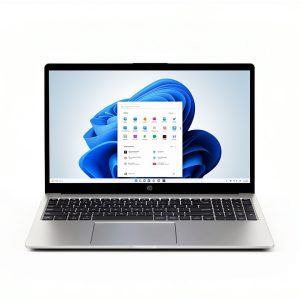
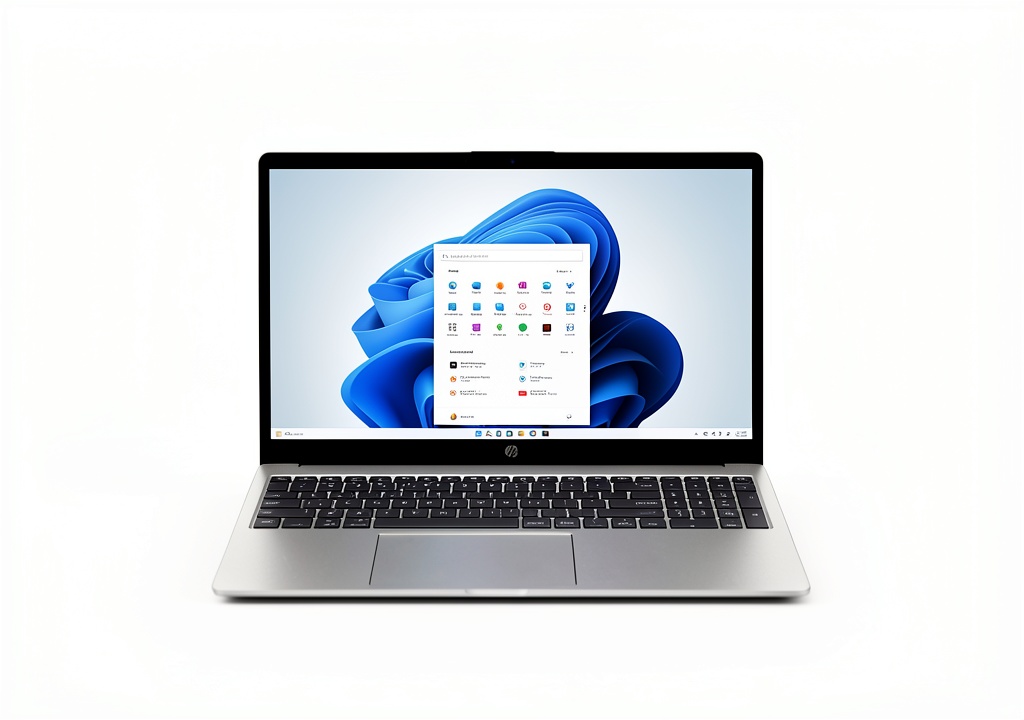
Unboxing the HP 15, the first thing you notice is the weight—or lack thereof. At under 4 pounds, it’s reasonably portable for a 15-inch laptop. The “Natural Silver” finish is conservative and professional, unlikely to offend in any setting. However, pick it up and you’ll immediately feel the difference between this and a premium laptop like a Dell XPS or HP’s own Spectre line.
The chassis is primarily plastic. There’s a slight flex in the keyboard deck if you press down firmly while typing, and the lid can be distorted with moderate pressure. This isn’t a deal-breaker for careful use, but it’s a clear indicator of cost-saving. If you’re someone who tosses a laptop into a backpack filled with books and other gear, you’ll want a more robust machine. For a home office or dorm room, it’s perfectly adequate.
Performance in Real Use: Where the Ryzen 7 Shines
This is where the HP 15 earns its keep. I pushed this laptop through a typical workday: over 20 browser tabs open across two windows (Chrome), Microsoft Word and Excel running simultaneously, Spotify streaming in the background, and a Zoom call with video on. The Ryzen 7 and 16GB of RAM handled this without a stutter or slowdown. Application switching was instant, and the system remained responsive.
The 1TB NVMe SSD is a game-changer. Boot times are under 10 seconds, and applications like Photoshop Elements load in a blink. If you’re upgrading from a laptop with a hard drive or a smaller SSD, the difference is night and day. You’ll have ample space for your documents, a modest photo library, and even a few games without needing to constantly manage storage.
Scenario: The Student A student can have a research paper open, a dozen academic journals in browser tabs, a citation manager, and a communication app like Discord running. The HP 15 manages this workload effortlessly. The integrated Radeon graphics can even handle light gaming during breaks—think League of Legends or older titles at medium settings—but don’t expect to play Cyberpunk 2077.
Scenario: The Hybrid Worker For the professional juggling emails, spreadsheets, video conferences, and light graphic design in Canva or similar web apps, this laptop is more than capable. The performance bottleneck will never be the CPU or RAM. The Wi-Fi 6 support ensures stable connections on crowded networks, a must for coffee shop work sessions.
Display & Audio: The Biggest Compromise
The 15.6-inch Full HD IPS display is… fine. It’s sharp enough for text and basic media, and the anti-glare coating helps in brightly lit rooms. However, with a claimed 250 nits of brightness, it struggles outdoors or in direct sunlight. The color gamut is also standard for this class—around 45% NTSC or sRGB. This means colors won’t pop, and they won’t be accurate for professional photo or video editing.
For writing reports, coding, or analyzing data, it’s perfectly serviceable. But if you spend hours watching movies or editing photos, the dull and somewhat washed-out appearance will become tiresome. The audio from the downward-firing speakers is similarly basic—okay for video calls and system sounds, but you’ll want headphones for music or movies.
Keyboard, Trackpad, and Ease of Use
The keyboard is a highlight. The keys have a satisfying amount of travel and are quiet, making for a comfortable typing experience over long periods. The trackpad is large and responsive, supporting Windows precision drivers for smooth multi-finger gestures. It’s a no-fuss input experience that gets the job done without frustration.
Port selection is practical. The USB-C port is welcome, though it does not support Thunderbolt or charging, which is a missed opportunity. You get two USB-A ports for legacy devices, an HDMI port for an external monitor, and a full-size SD card reader—a bonus for photographers that many competitors omit.
Battery Life & Thermals: Realistic Expectations
HP’s claim of “up to 10 hours and 45 minutes” is based on specific, lightweight tests. In my real-world usage with screen brightness at 75%, productivity apps, and web browsing, I consistently achieved between 7 and 9 hours. This is still excellent for a full day of classes or a workday away from an outlet, but don’t expect to leave your charger behind for a cross-country flight.
The cooling system is effective under normal load. The laptop remains quiet during office tasks. Under sustained heavy load, like rendering a video or installing large updates, the fans do spin up audibly, but the noise is a low whoosh rather than a high-pitched whine. The keyboard deck stays cool to the touch.
Pros & Cons
Pros:
- Exceptional value for performance: The Ryzen 7 7730U offers power that rivals more expensive laptops.
- Future-proof configuration: 16GB RAM and 1TB SSD mean no immediate upgrades are necessary.
- Comfortable keyboard and large trackpad: Excellent for long typing sessions.
- Solid real-world battery life: Easily lasts a full work or school day.
- Clean software experience: Windows 11 with minimal bloatware.
Cons:
- Mediocre display: Low brightness and narrow color gamut are the main drawbacks.
- All-plastic build: Feels less premium and durable than metal-bodied competitors.
- Integrated graphics limitation: Not suitable for modern AAA gaming or GPU-intensive tasks.
- USB-C port lacks charging capability: A minor but noticeable omission for modern connectivity.
Comparison & Alternatives
Making the right choice often comes down to comparing options. Here’s how the HP 15 Ryzen 7 stacks up against two logical alternatives.
Cheaper Alternative: Acer Aspire 5 with Ryzen 5
You can find an Acer Aspire 5 with an AMD Ryzen 5 processor, 8GB RAM, and a 512GB SSD for around $150-$200 less.
- Value Difference: The Acer saves you money but makes significant cuts. The Ryzen 5 is capable but less powerful for heavy multitasking. 8GB of RAM is becoming the bare minimum in 2026, and 512GB of storage fills up quickly.
- When to Choose the Acer: If your budget is strict and your usage is very light—primarily web browsing, email, and document editing.
- When to Choose the HP 15: If you want a machine that won’t feel slow in two years. The extra RAM, storage, and more powerful CPU in the HP 15 are worth the premium for most users.
Premium Alternative: Dell XPS 13 Plus
Stepping up to a Dell XPS 13 Plus (with an Intel Core i7, 16GB RAM, 512GB SSD) doubles the price to around $1,600.
- Value Difference: The XPS offers a stunning near-borderless display, a premium CNC aluminum chassis, a more innovative design, and Thunderbolt 4 ports. It’s also much more portable.
- When to Choose the Dell: If you prioritize top-tier build quality, a brilliant display, ultimate portability, and have the budget to match.
- When to Choose the HP 15: If performance-per-dollar is your main goal. The HP 15 offers about 80% of the core computing performance for half the price, with a larger screen and more storage.
Buying Guide / Who Should Buy This Laptop
Best for Beginners
If you’re buying your first laptop or are not technically inclined, the HP 15 is an excellent choice. The configuration is well-balanced, so you don’t need to worry about complex specs. It works reliably out of the box for common tasks, and HP’s customer support is widely accessible.
Best for Professionals & Students
This is the sweet spot. For professionals who need a dependable workhorse for Office 365, CRM software, and constant communication, the performance and battery life are ideal. For students, it handles research, writing, and presentation software with ease, and the large screen is better for split-screen work than a 13-inch model.
Not Recommended For
Avoid this laptop if:
- You are a serious gamer: The integrated graphics cannot run demanding modern games.
- You are a video editor or professional photographer: The display lacks the color accuracy and brightness required for color-critical work.
- You need extreme durability: If your laptop will face a rugged environment, consider a business-grade model like an HP EliteBook or Lenovo ThinkPad.
- You want a ‘premium’ feel: The plastic construction does not convey the same quality as aluminum or magnesium alloy laptops.
Frequently Asked Questions (FAQ)
Q: Can this HP 15 run video editing software like Adobe Premiere Pro?
A: It can run Premiere Pro for basic editing of 1080p footage. However, rendering times will be slow, and the display isn’t suitable for color grading. It’s not recommended for professional video editors.
Q: Is the RAM upgradeable on this model?
A> This is a critical question. Many modern laptops solder RAM to the motherboard. While some HP 15 models have a slot free, this specific configuration likely comes with 16GB soldered, meaning it is not user-upgradeable. This makes choosing the 16GB model now a smart decision.
Q: How does the AMD Ryzen 7 compare to an Intel Core i7?
A> In this generation and price bracket, the Ryzen 7 7730U is highly competitive with Intel’s Core i7-1255U. It often leads in multi-threaded performance (e.g., multitasking) and offers better integrated graphics. For most users, the Ryzen 7 is the more compelling choice for the price.
Q: Is the HP 15 Ryzen 7 worth $800 in 2026?
A> Absolutely. Given the combination of an 8-core processor, 16GB of RAM, and a 1TB SSD, this laptop represents strong value. You are getting a configuration that will remain performant for years, avoiding the need for costly upgrades down the line. The main trade-off is the average display, which is a compromise many are willing to make.
Q: Can I connect two external monitors to this laptop?
A> You can connect one external monitor via the HDMI port. The USB-C port supports DisplayPort Alternate Mode, so with a suitable dock or adapter, you can connect a second monitor, allowing for a dual-monitor setup, which is great for productivity.